5.1 How to receive enquiries
Important details on receiving traveller requests
When a traveller submits an enquiry and confirms their details, it's allocated to the partner best placed to help.
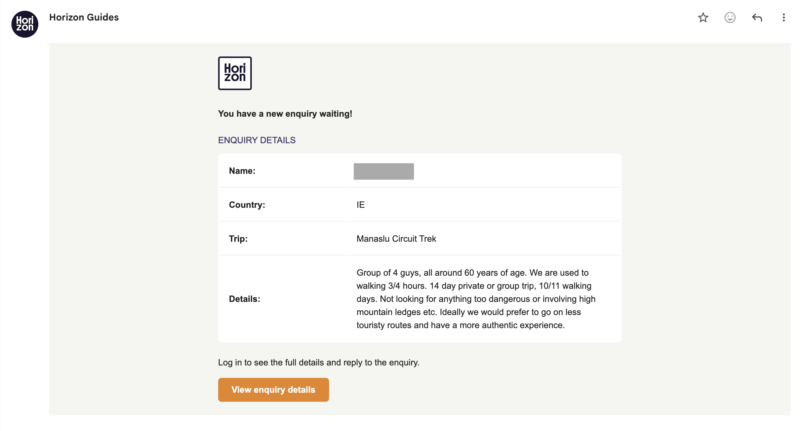
You'll be notified in two ways:
- By email — a summary of the request lands in your sales inbox.
- In the partner admin — the enquiry appears under Results, in your Incoming tab, and a small bell appears next to Results in the sidebar to let you know someone's waiting on a first reply.
Each enquiry includes the traveller's trip request and their contact information. If the Horizon Guides team has already spoken with the traveller to clarify their plans, that conversation history is included too — so you have the full picture before you reply.
Make sure you receive enquiries
To avoid missing new enquiries, make sure that mail@horizonguides.com is added to your contacts or email whitelist. This helps prevent enquiries being filtered into spam.
You should also ensure that the sales email address in your profile is correct and actively monitored.
What happens next
Once you’ve reviewed the enquiry, the next step is to reply to the client and begin the conversation about their trip.
The next guide explains how to respond effectively.