
3.2 How to define your standard trip inclusions
Show travellers what is typically included in your tours
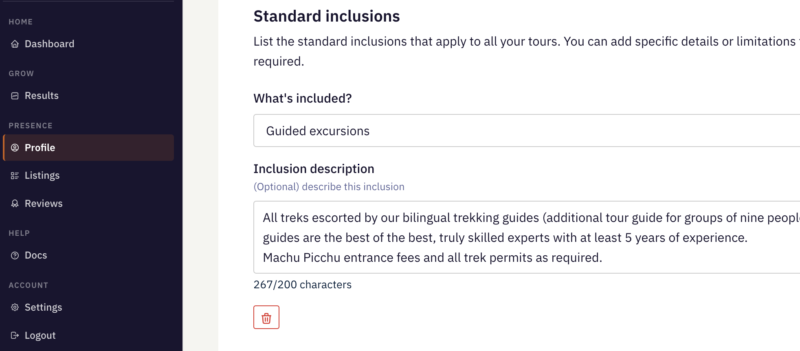
This section allows you to define the standard inclusions that apply across your trips.
Rather than repeating the same information in every itinerary, you can list the elements that are typically included in your tours. These will then appear consistently across your listings and help travellers quickly understand what is covered in the price.
To add or edit your inclusions, go to Profile → Inclusions in the partner dashboard.
You can add multiple items by selecting them from the “What’s included?” dropdown menu and providing a short description if needed.
Choosing your inclusions
The dropdown menu contains common tour components such as:
Accommodation
Expert guiding
Local transport
Meals
Internal flights
Camping equipment
Select the items that normally form part of your trips.
You do not need to include every possible detail here. The aim is simply to show travellers the typical elements included in your tours.
Inclusion descriptions
You can optionally add a short description for each inclusion.
This is useful if you want to clarify details that travellers often ask about, for example:
The standard of accommodation used
The type of equipment provided
Whether meals are included throughout the trip or only on certain days
Any limitations or important details
Keep descriptions concise. A short sentence explaining the inclusion is usually enough.
Keeping things clear
Try to keep this list focused on the elements that genuinely apply to most of your trips.
Specific inclusions or exceptions can still be explained within individual trip descriptions if required.